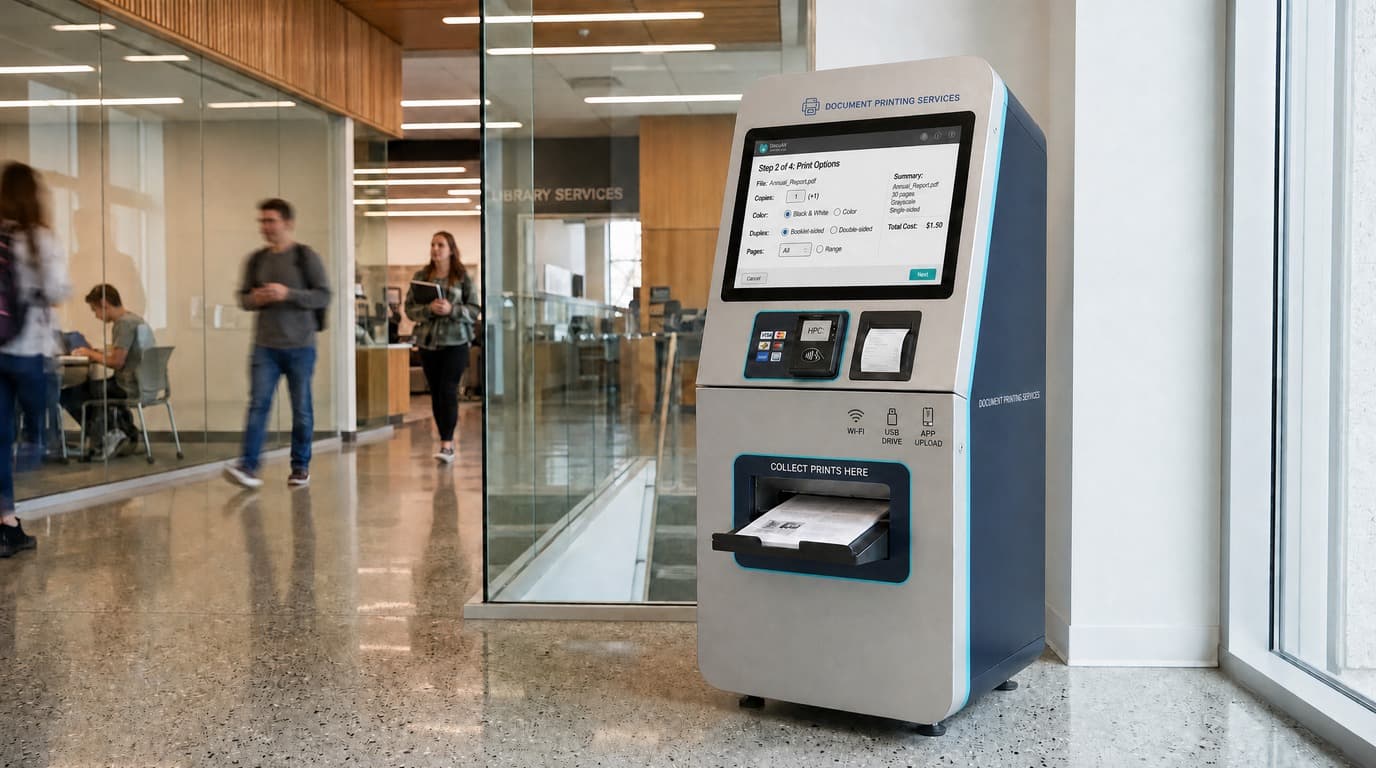
How Does a Self-Service Printing Kiosk Work?
A self-service printing kiosk connects document input, print settings, price calculation, payment and printer control into one unattended workflow.
The journey typically follows five connected stages: document input, print configuration, price calculation, payment confirmation and print execution. When the job finishes, the terminal returns to the home screen for the next user.
Self-service printing workflow
- 1
Select file source
Wi-Fi, USB or app
- 2
Import document
PDF or Word
- 3
Preview document
Confirm pages before printing
- 4
Select print settings and quantity
Duplex, black-and-white and copies
- 5
Calculate price
Rules applied to the selection
- 6
Complete payment
Cash, coin change or card
- 7
Release print job
After payment confirmation
- 8
Print
Job sent to the connected printer
- 9
Return to home screen
Ready for the next user
From File Upload to Print Settings
Confirmed input methods for CRTLY printing projects are Wi-Fi, USB and app. Typical document formats are PDF and Word. After import, the user previews the document and chooses quantity plus available options such as duplex and black-and-white.
CRTLY's current standard self-service printing software is designed for A4 document printing. If a project requires photo printing, the printing software and workflow need to be adapted for the selected photo printer, media and output requirements. This is treated as a project-specific development rather than a standard configuration, and feasibility is evaluated according to project scope and expected deployment volume. If the format is unsupported or import fails, the session should stop before payment starts.
How Printing Price Is Calculated
After the user selects the document, quantity and available printing options, the software applies preconfigured price rules — for example per page, per copy or option-based adjustments — and shows the total before payment. Operators define those rules during project setup; the kiosk evaluates each job against them.
How Payment Releases the Print Job
Payment confirmation releases the print job. The sequence is price calculation → payment → payment confirmation → print job release. Until confirmation succeeds, the printer should not start the paid job. Common paths include cash acceptance, coin change and NAYAX POS card payment; other terminals depend on available API, SDK or interface documentation.
Example detail: a 6-page PDF printed as 2 duplex copies. No fixed price is shown here because pricing follows each project’s configured rules.
Example Printing Transaction
- Upload PDF
- Select quantity and duplex
- Calculate price
- Complete payment
- Receive payment confirmation
- Create / release print job
- Printer executes task
- Record result
- Return to home screen
How the Print Queue and Printer Status Work
After payment confirmation, the software places the job in a print queue and tracks printer operating status while the job progresses. Operators need visibility into queue position, job progress and failure states such as paper, toner or device errors — including whether payment already released the job.
What Operators Can Monitor Remotely
Remote reporting typically covers revenue records, order records, printing records, operational reports and printer status. Consumable readings, when shown, are estimated values for planning and alerts — not exact remaining paper or toner — and should be confirmed on site before replenishment.
Three Ways to Integrate the Printing System
Printing projects usually choose one of three integration models. The model decides who owns the application logic and how the kiosk, printer and payment devices connect.
- CRTLY software — CRTLY provides the printing application and coordinates hardware, payment and printer connectivity.
- Customized software — the workflow is adapted to project-specific UI, pricing or operating rules while CRTLY supports hardware and integration.
- Hardware + API for customer-developed software — CRTLY supplies the kiosk platform and interfaces so the customer can run their own application.
When the project needs CRTLY to coordinate the printing application, kiosk hardware, payment and printer integration as one delivery, see the complete self-service printing solution.
Six Decisions to Define Before a Printing Kiosk Project
Across international self-service printing projects, six decisions usually need to be fixed before hardware selection begins: the unattended user journey, local payment integration, software ownership, operating-cost structure, privacy and failure handling, and pilot-to-scale planning.
1. Unattended User Journey
A self-service printing project is more than a touchscreen and printer in a cabinet. The software must connect document input, pricing, payment confirmation, print queue, printer status and failure handling into one session a user can finish without staff.
Technical Note
Exception paths to define early
Define what happens when a user uploads the wrong file, changes quantity after pricing, cancels before payment, or hits a printer error after payment. Those paths depend on the agreed software rules and should not be assumed as automatic for every deployment.
2. Local Payment Integration
Local payment requirements vary by country and should be defined before software and hardware integration begins. Projects may need card terminals, mobile money, local QR payment or fiscal/payment interfaces. These are requirement types, not a claim that every platform is already supported.
Payment responsibility layers
| Layer | Typical Responsibility |
|---|---|
| Payment terminal hardware | CRTLY / selected hardware vendor |
| API / SDK integration | CRTLY or project software team |
| Merchant / acquiring account | Customer / payment provider |
| Local compliance | Customer + local payment / fiscal provider |
CRTLY integrates supported payment hardware and software interfaces when the payment provider supplies the required API, SDK or communication documentation. Merchant acquiring, payment-provider onboarding and local regulatory requirements remain with the customer and the selected payment provider.
3. Software Ownership and Control
Software ownership should be defined before quotation because it affects development scope, licensing and future maintenance. The project may use CRTLY software, customized software or customer-developed software with CRTLY hardware and API support.
Clarify in the quotation
- Who owns the application
- Whether source code is required
- One-time license vs service-based terms
- Cloud or server costs, if any
- Who maintains future versions
- Who integrates local payment
- Who manages user and transaction data
4. Operating Cost Structure
Operating cost should be evaluated beyond the kiosk purchase price. It may also include printer media, toner or ink, software development or license, hosting if applicable, payment fees, local payment integration, maintenance, spare parts, logistics and on-site service.
Technical Note
Planning framework
Document-printing projects usually track cost per page; photo-printing projects usually track cost per print. Photo-printing projects should also account for software adaptation, photo-printer integration and media-specific development because these are not part of CRTLY's current standard A4 document-printing configuration. As a planning framework — not a fixed quotation — estimated cost per print ≈ media/consumables + payment cost + software/platform allocation + maintenance allocation.
5. Privacy, Security and Failure Handling
Unattended printing needs software rules for file retention, service-menu access control, order records for troubleshooting and physical cabinet security. Projects can be configured so uploaded files are removed after the print workflow is completed when that behavior is included in the agreed software design.
Technical Note
What Happens If Printing Fails After Payment?
Payment success and print completion are tracked as separate system states. If payment succeeds but the printer cannot complete the job because of a paper jam, out-of-paper condition or another printer/device error, the failed order remains recorded in the system. CRTLY's current printing software records these exception transactions in `pending_settlement`, allowing the operator to identify the affected order and review it for reprint, manual handling or refund processing. The final handling method depends on the project workflow and payment-provider integration.
6. Pilot-to-Scale Planning
Pilot projects should be designed for repeatability if later multi-site deployment is expected. Many operators start with one unit, then expand after validating demand, payment behavior and operating costs.
Standardize for later expansion
- Hardware configuration and device ID naming
- Software version and licensing model
- Payment configuration
- Remote reporting and order records
- Consumable and spare-parts plan
- Batch lead time
- Separate first-unit engineering cost from later batch hardware pricing
Project Specification Checklist
- File input method — Wi-Fi, USB and/or app
- Document formats — typically PDF and Word
- Expected daily print volume
- Peak-hour usage
- Average pages per job
- Required paper size
- Target print speed
- Printing type — standard A4 document printing or project-specific photo printing
- Duplex requirement
- Paper capacity
- Payment method
- Local payment integration requirement
- POS / payment terminal brand if already selected
- Software model — CRTLY / customized / customer-developed
- API / SDK requirements
- Remote reporting requirement
- Privacy / file-retention rules
- Pilot quantity
- Expected scale after pilot
- Logistics destination
- Spare parts / maintenance plan
Document Printing vs Photo Printing
| Requirement | Document Printing | Photo Printing |
|---|---|---|
| Typical media | A4 paper | Photo paper / specialty media |
| Common output | PDF / Word documents | Photos / image-based products |
| Current CRTLY software status | Supported by current standard printing software | Requires project-specific software adaptation |
| Printer integration | Standard A4 document printer integration | Requires adaptation to the selected photo printer |
| Typical printer focus | Speed, duplex printing, cost per page | Color quality, media handling, print size and cost per print |
| Common buyer concern | Page cost and reliability | Print quality, consumable cost and software/printer adaptation |
| CRTLY positioning | Current standard solution for A4 document printing | Custom project development evaluated according to project scope and deployment volume |
Where Self-Service Printing Kiosks Are Typically Used
Self-service printing kiosks are typically used in libraries, campuses, business centers, offices, hotels and retail or public service environments.
For use cases, hardware configuration and customization options, see self-service printing kiosk applications.