Restaurant Application

Restaurant Self-Ordering Kiosk

CRTLY restaurant self-ordering kiosks are deployed in quick-service restaurants, food courts and takeaway counters to support self-service ordering and payment, improve ordering speed and reduce queue pressure.

Target Environment

QSR restaurants, food courts, café counters, takeaway pickup areas and high-traffic dining spaces.

Business Context

Food service operators need to process orders faster, reduce cashier workload, improve order accuracy and support digital menu updates across multiple stores.

  • Self Ordering
  • Digital Menu
  • Self Payment
  • Order Pickup

Industry Challenges

Operational Pressures Food Service Operators Face

Restaurant kiosks can help address queue pressure, order accuracy and menu management challenges during peak dining hours.

Long Ordering Queues

Meal peaks create front-counter congestion and reduce customer throughput.

Order Accuracy

Manual ordering can lead to miscommunication, especially with modifiers, combos and multilingual customers.

Menu Update Pressure

Restaurants need flexible digital menus for price updates, promotions and sold-out items.

Labor Cost Control

Self-ordering reduces dependence on cashier stations during peak hours.

Recommended Hardware

Hardware Selected for Restaurant Deployments

Product series chosen for counter space, traffic volume, and payment reliability.

B Series restaurant self-ordering kiosk

Countertop / Floor-standing

Flexible Countertop & Floor-standing Self-ordering Kiosk

Designed for flexible restaurant deployment. It can be placed on a countertop for compact service areas or secured to a floor-standing base for dedicated self-ordering zones.

W Series restaurant self-ordering kiosk

Wall-mounted / Floor-standing

Wall-mounted & Floor-standing Self-ordering Kiosk

Designed for space-conscious restaurant environments. It can be wall-mounted to save floor space or installed with a floor-standing structure for flexible self-ordering deployment.

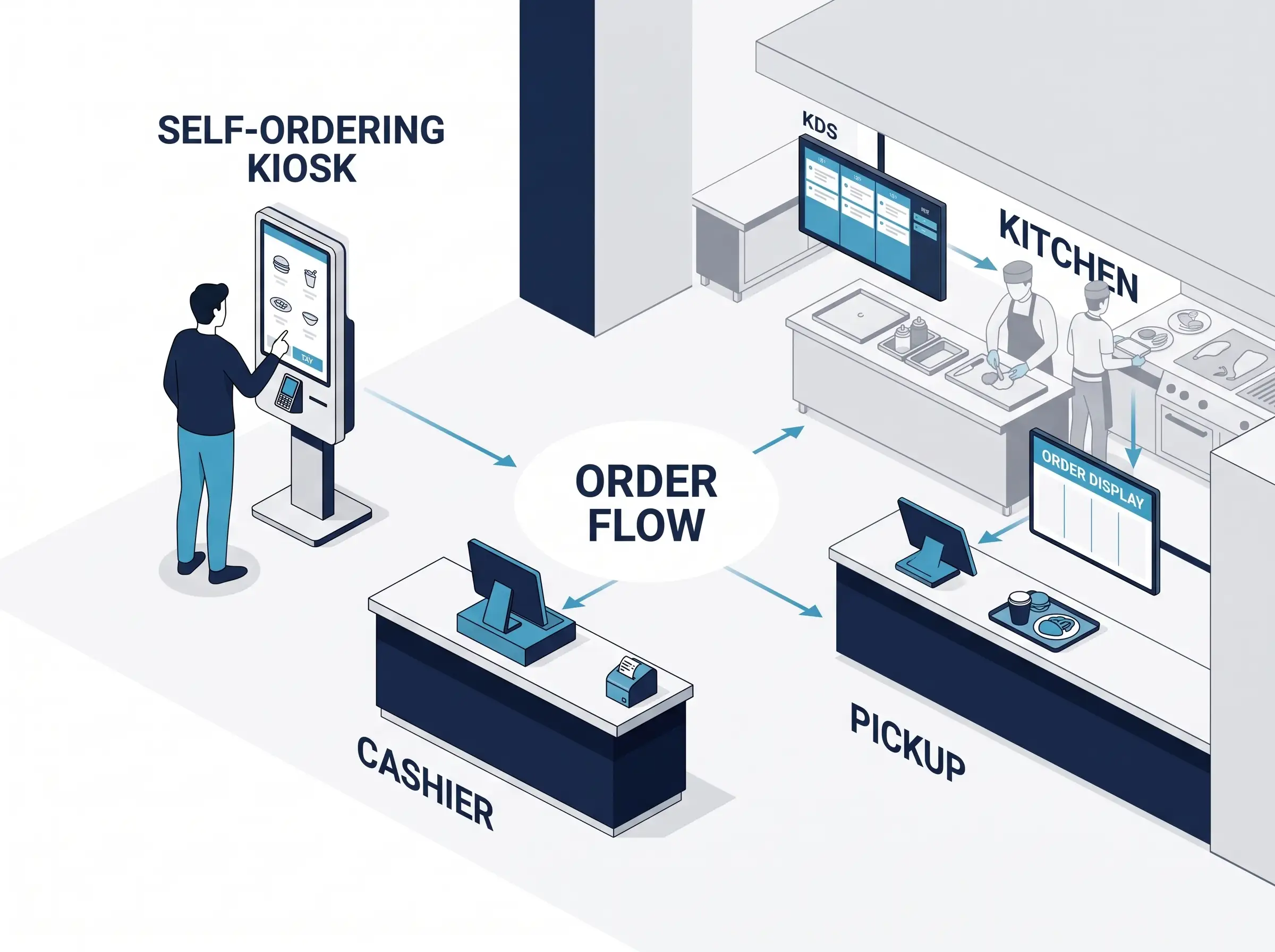
Typical Restaurant Workflow

Restaurant Self-Ordering Workflow

See how a self-ordering kiosk supports the customer journey from menu selection and payment to kitchen preparation and order pickup.

Restaurant self-ordering kiosk workflow from customer ordering to kitchen preparation and pickup
  1. 01

    Customer Orders at the Kiosk

    Customers browse the menu, select items and complete their order at the self-ordering kiosk.

  2. 02

    Order Enters the Restaurant Workflow

    The confirmed order moves into the restaurant’s normal order-handling process.

  3. 03

    Kitchen Prepares the Meal

    The kitchen receives the order through its existing preparation workflow, such as KDS or order tickets.

  4. 04

    Customer Collects the Order

    When ready, the order is identified by receipt or order number and collected from the pickup area.

Project Configuration

What CRTLY Can Provide for Restaurant Kiosk Projects

CRTLY provides configurable restaurant kiosk hardware for self-ordering projects, including kiosk enclosure and peripheral configuration, payment hardware, printing and scanning options, and kiosk-side interface support when APIs are provided by the customer or software partner.

01

Kiosk Hardware & Peripherals

Screen size, enclosure, printer, scanner and other kiosk peripherals can be configured according to the restaurant project requirements.

02

Payment & Printing Hardware

Payment terminals, receipt printers and other required payment or printing devices can be configured around the selected restaurant workflow.

03

Software Interface Support

When required, CRTLY can work with the customer or software provider to connect the kiosk using the APIs provided for the project, followed by kiosk-side configuration and testing.

04

Appearance & Installation

Kiosk appearance, branding, enclosure design and installation format can be adapted to the restaurant environment and deployment requirements.
Selected Deployments

Restaurant Kiosks in Real-World Use

A selection of restaurant self-ordering kiosk configurations delivered for different restaurant environments. Each project is configured around the venue workflow, payment requirements, peripheral configuration, software interface requirements and installation environment. The examples shown here represent selected CRTLY deployments and do not represent all projects or customer configurations.

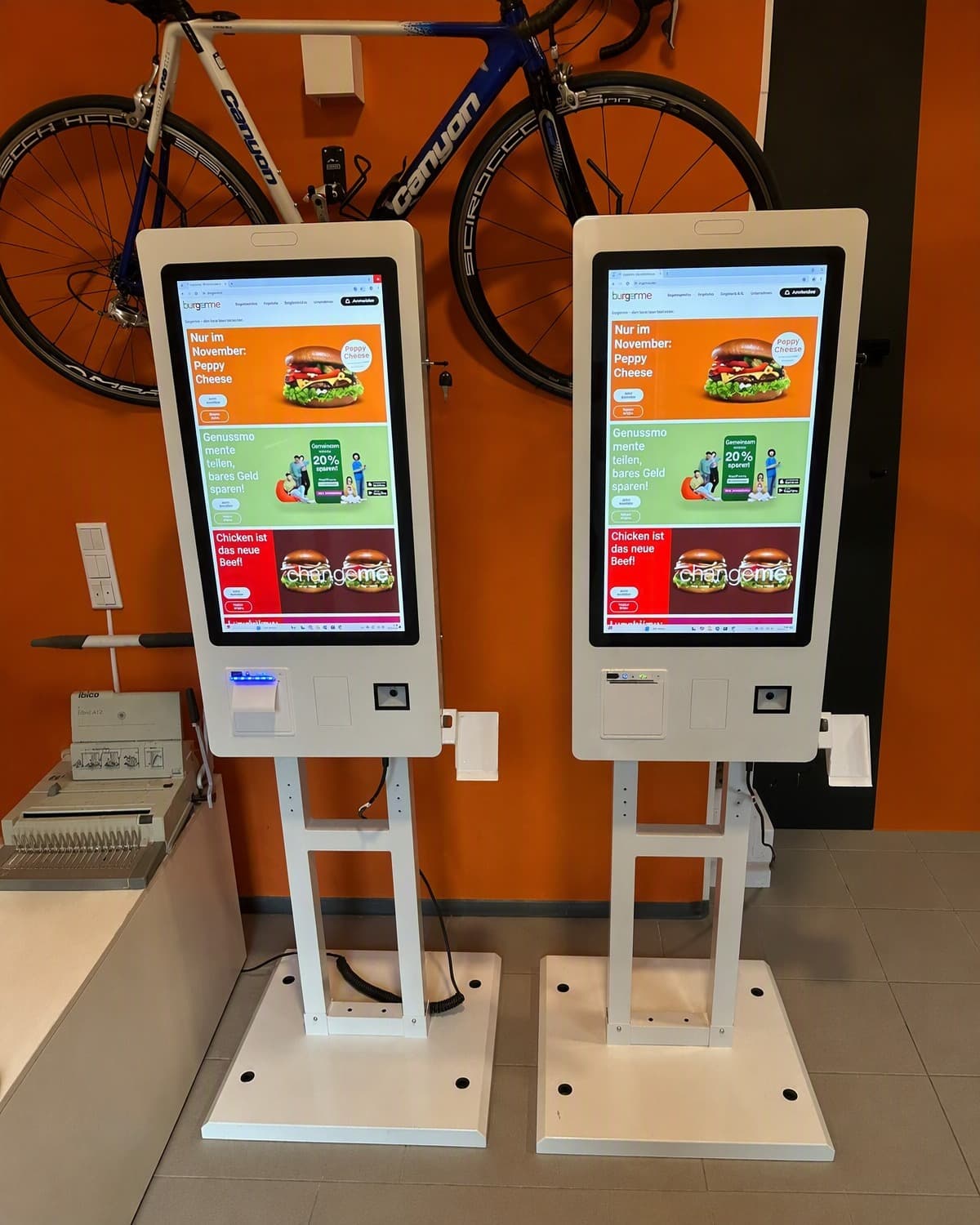
Self-ordering kiosks deployed at a chain quick-service restaurant in Munich, Germany

Chain QSR Self-Ordering Kiosks — Munich, Germany

Deployed at a chain quick-service restaurant in Munich, Germany, where customers can browse the food menu, place their orders and complete payment by credit card at the self-ordering kiosks.

  • Self-Ordering
  • Card Payment
  • QSR
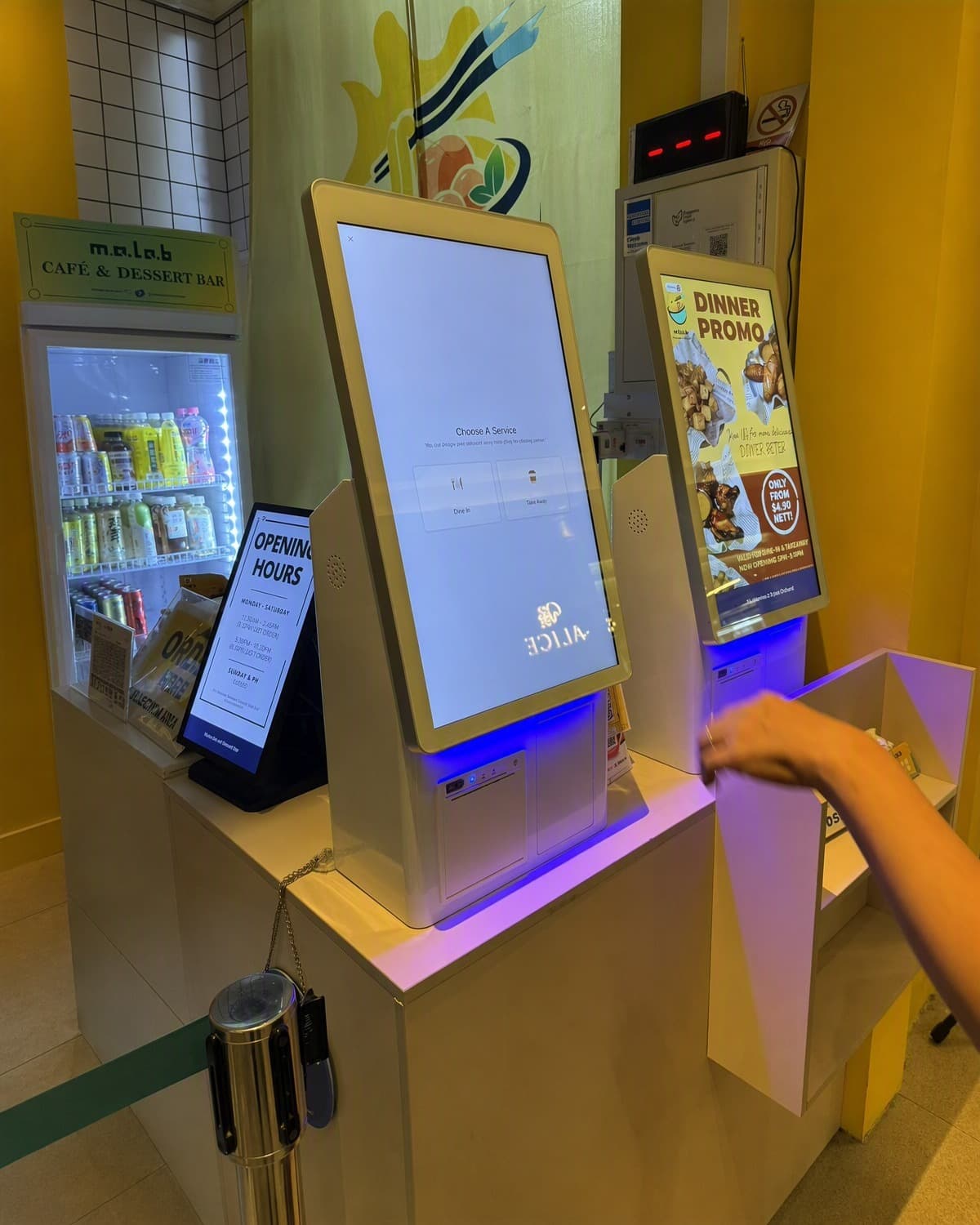
Countertop self-ordering kiosks deployed in a food court in Singapore

Food Court Countertop Self-Ordering Kiosks — Singapore

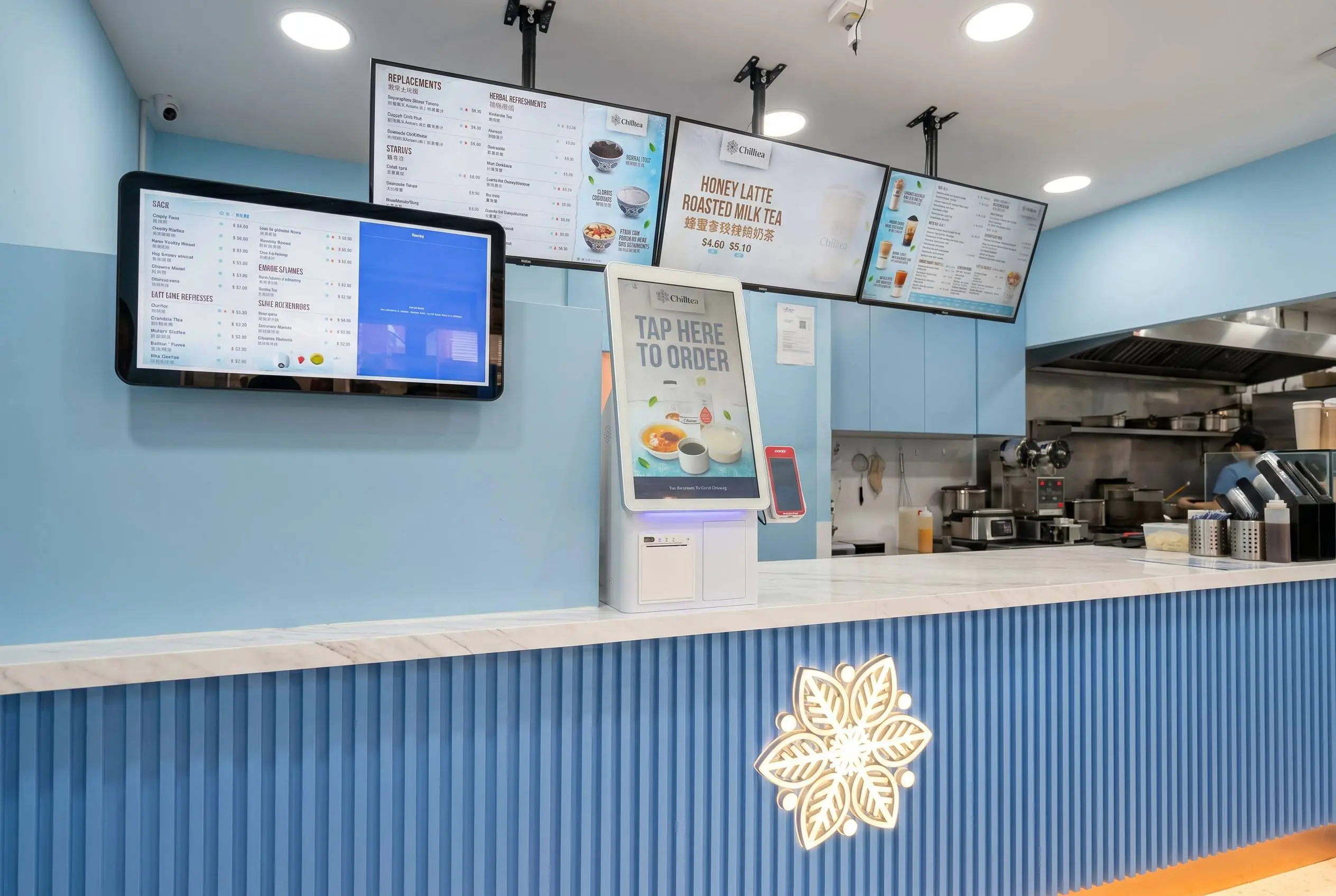
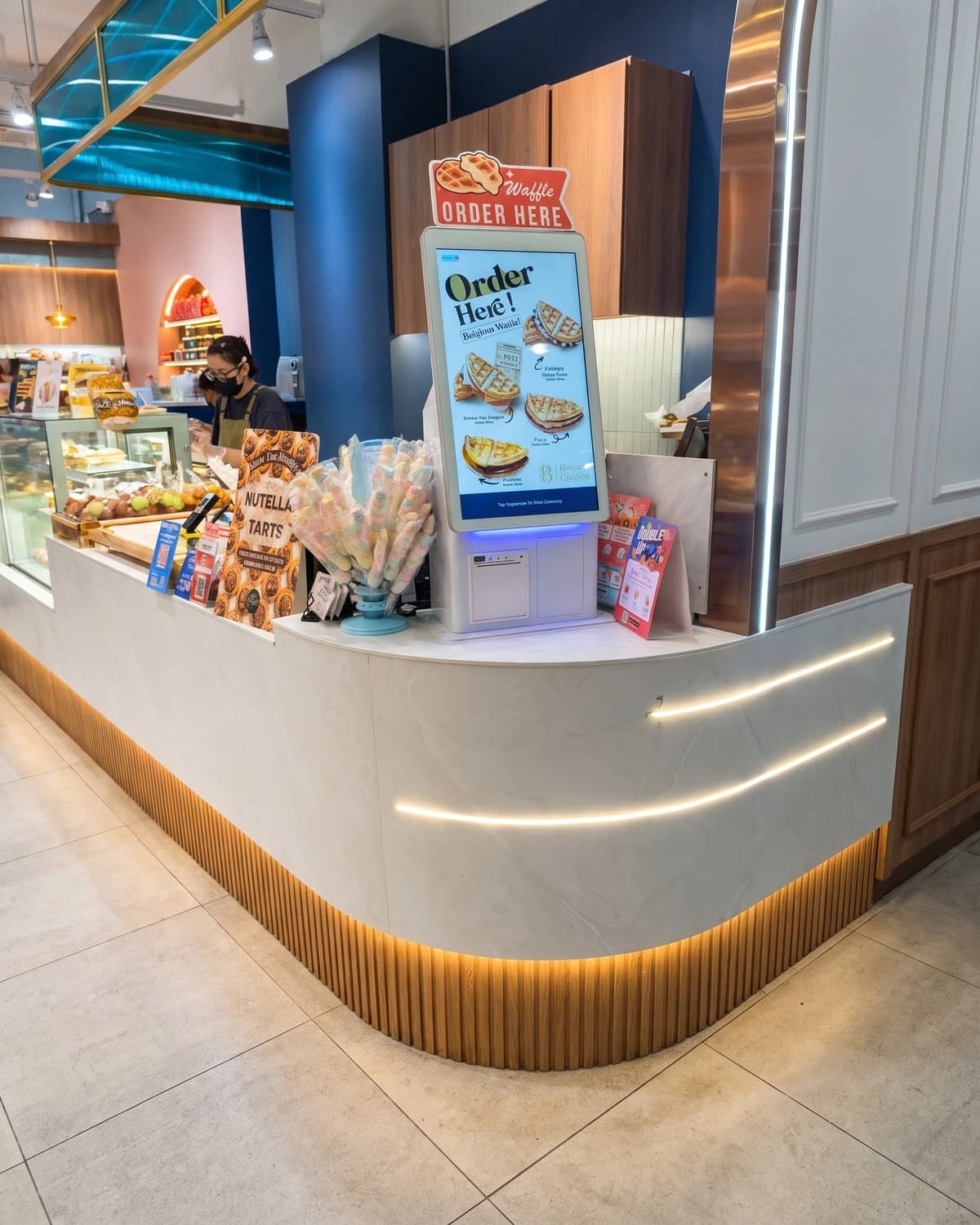
Countertop self-ordering kiosks deployed in a food court in Singapore, enabling customers to select food items and complete credit-card payment at the kiosk before order preparation.

  • Self-Ordering
  • Card Payment
  • Countertop
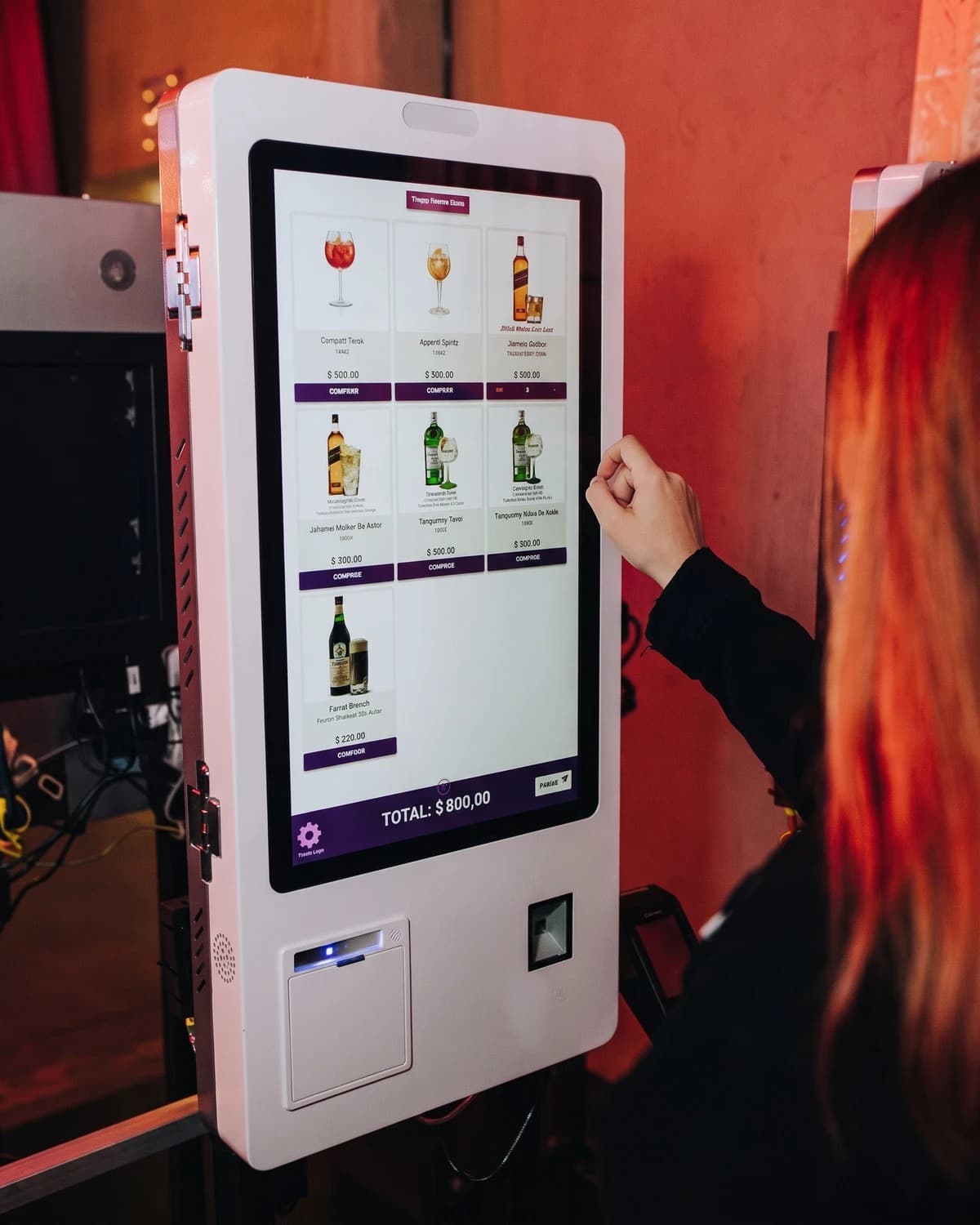
Self-ordering kiosks deployed in a specialty restaurant in Chile

Specialty Restaurant Self-Ordering Kiosks — Chile

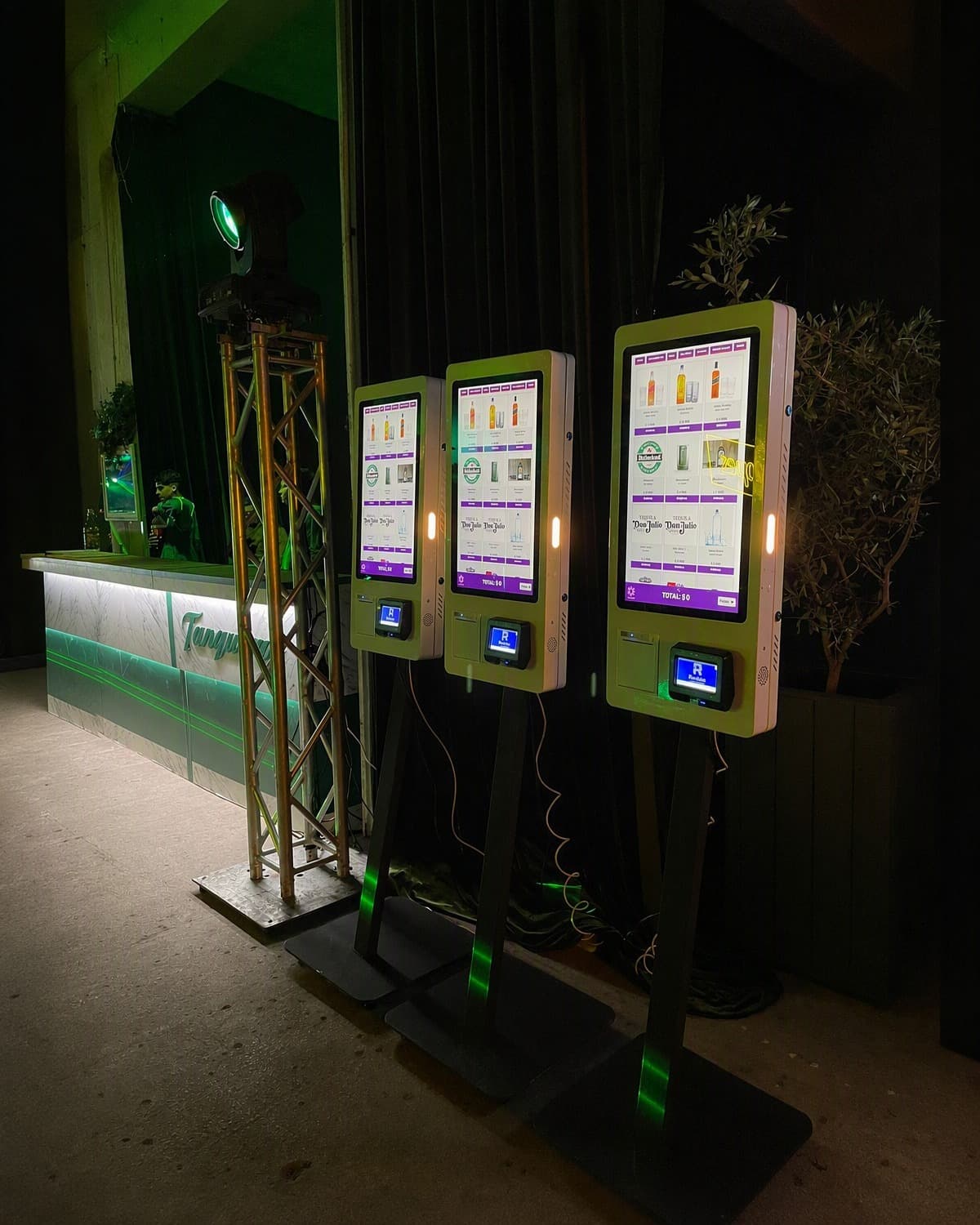
Multiple self-ordering kiosks deployed in a specialty restaurant in Chile, allowing customers to browse menu items, place orders and complete payment by credit card directly at the kiosks.

  • Self-Ordering
  • Card Payment
  • Multi-Kiosk

Project Inquiry

Planning a restaurant self-ordering kiosk project?

Tell us about your restaurant format, menu workflow and payment requirements. Our team will recommend a suitable kiosk configuration.

Industry: Restaurant Self-ordering Kiosk

  • Recommended kiosk series
  • Required modules and integrations
  • Deployment workflow suggestion

Tell us your project requirements

We usually respond within one business day.